35+clients
Government, business, infrastructure since 2018
Site Screening Maps
Score parcels and addresses against demographics, foot traffic, environmental layers, and accessibility.
Start with a working map example, then talk through the data, decisions, and deliverable your team needs. We will adapt the closest proof into a scoped build around your workflow.
Government, business, infrastructure since 2018
Score parcels and addresses against demographics, foot traffic, environmental layers, and accessibility.
Permit route intelligence, waste hauling, service-area planning, and last-mile optimization.
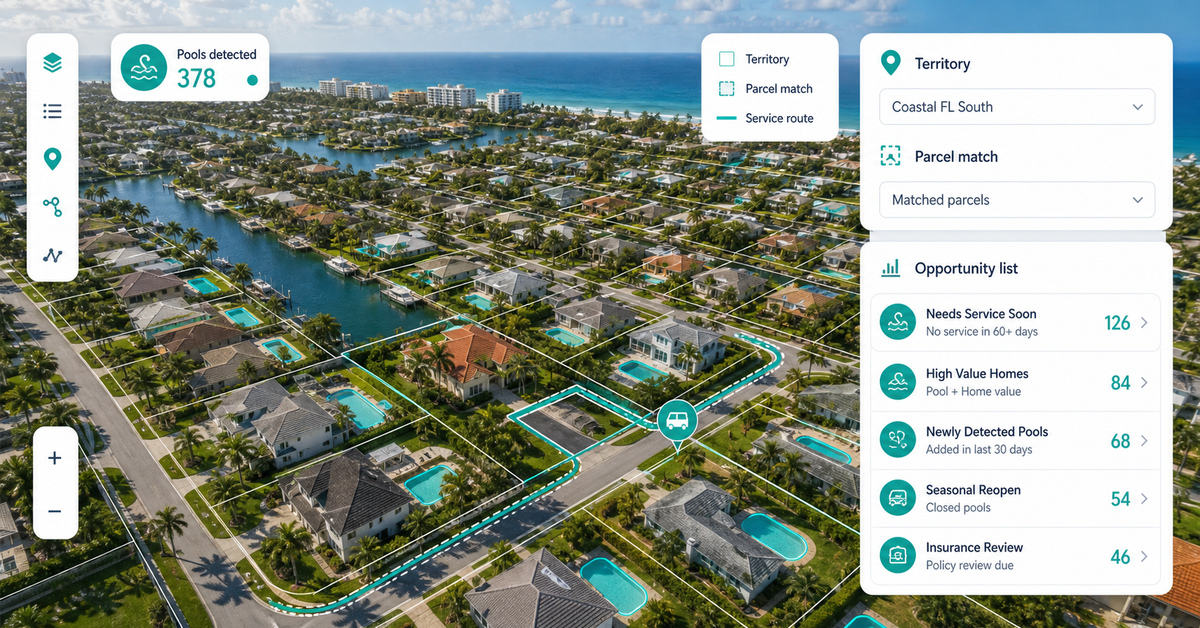
Browse satellite, NAIP, and drone imagery with overlays, change detection, and AI-extracted features.
SurveyForge previews, asset inspection maps, and field-to-office data pipelines.
Live web map demos, geospatial demo catalog, and interactive GIS examples.
NAIPAI, infrastructure extraction, feature extraction, solar classifier, and pool extraction.
PermitOps, arrival planners, field workflows, SurveyForge, and route intelligence.
Foot traffic, soil report, environmental equity, flood risk, and decision packages.
Bring the closest real workflow. We map what you send, what your team reviews, what evidence stays visible, and what you receive at handoff.
Addresses, routes, parcels, imagery, asset layers, or the manual workflow you want to replace.
Walk through the closest working demo and identify the layers, filters, popups, evidence panel, and export path your team needs.
You see the source notes, limits, buyer fit, and first proof point before we scope a custom build.
Custom build scope, report, dashboard, map, workflow, or data export.
Every conversation starts from a real decision surface, not a static deck.
The live examples are starting points; the build is adapted to your data, rules, and review process.
Live catalog on geospatialsolutions.co/web-maps.
Demo status, source notes, limits, export path, and buyer fit are reviewed before scoping.
Custom build scope, report, dashboard, map, workflow, or data export.
No vague discovery phase. You bring four or five things, we return a specific plan you can evaluate.
No open-ended retainers. No "discovery phases" that bill for months without producing anything you can evaluate.
You send a data sample and a target outcome. We return a written scope, fixed price, and pilot plan within 48 hours.
A clickable web map or analysis run on a slice of your data — fixed fee, evaluable in under 2 weeks.
Full build with documentation, runbooks, and source code transfer. Deployed on your infrastructure or ours.
Recorded walkthroughs, training session with your team, and 30-day hardening period where we stay on call.
These open the real, interactive demos on our main site — not screenshots, not videos. Click around before you decide to talk to us.
Live sessions with Q&A — not pre-recorded. Each topic runs once per month with limited seats so the questions actually get answered.
GIS managers, ops directors, and technical leads evaluating consulting partners. Sessions are limited to non-competitors so attendees can ask honest questions without revealing strategy.
No. Sessions are free for teams evaluating our services. If a session turns into a project conversation, great. If not, you walk away with the knowledge and we move on.
Yes. Private workshops are available — usually 2-4 hours, customized to your stack and challenges. Pricing depends on scope; contact us for a quote.
A short path for teams that already know they need a map, imagery review, report workflow, or geospatial autom…
Choose the closest workflow, send the rough context, and we will turn it into a scoped path for a map, report,…
Custom web maps, imagery review, field systems, automation, annotation, and decision reports for teams that ne…
Dispatch optimization, container tracking, and demand prediction built for roll-off dumpster companies — runni…
Free, 30 minutes, no slide deck. We will look at your data live and tell you what is buildable, what is not, and what a realistic timeline looks like.
Pick the closest demo